



👋 Hello!
This is issue #29 of Taskflow Tuesday, where I share 3 things that can help you get digitally organized so that you can spend more time on what truly matters.
✍️ Currently
I am currently looking for a few more coaching clients for this month.
I have opened up a few spots for 1-on-1 coaching, and if you’ve been reading these emails for a while and haven’t unsubscribed yet, then you might be a good fit!
Email me at taskflow.co@gmail.com to book a call so we can talk more and get you setup with one of my coaching plans.
📏 1. Hidden iPhone Tool
I don’t think a lot of people know this, but there is a bubble level in your phone.
You know the stick with the green bubble in the middle of it that your grandpa used for checking everything before committing with the nail gun?
I’ve found myself using it often when hanging up pictures and other wall decor.
It’s in the “Measure” app. Just swipe down on your home screen and type “measure” into the search bar.
The app also has a measuring function, hence the name. It takes in the information of the space around you through your camera and enables you to measure from one point to the other.
I don’t use it as much, but it’s surprisingly accurate.
It’s one of those things where you don’t need it until you really need it, and it’s good to have in your back pocket.
🏎️ 2. Drive to Survive
Google Drive is great, but it can take me forever to find the document I’m looking for.
Today we’re going to fix that.
Follow the directions below so that you can search Drive from Chrome’s address bar.
Go to Chrome > 3 dots > Settings > Search Engine
(Or simply input chrome://settings/searchEngines in the address bar)
Under “Site Search,” click “Add” and input the following:
Search Engine = Google Drive
Shortcut = drive (this is the keyword that will bring up the Google Drive search function)
Under “URL with %s in place of query” = https://drive.google.com/drive/search?q=%s
Click “Save”
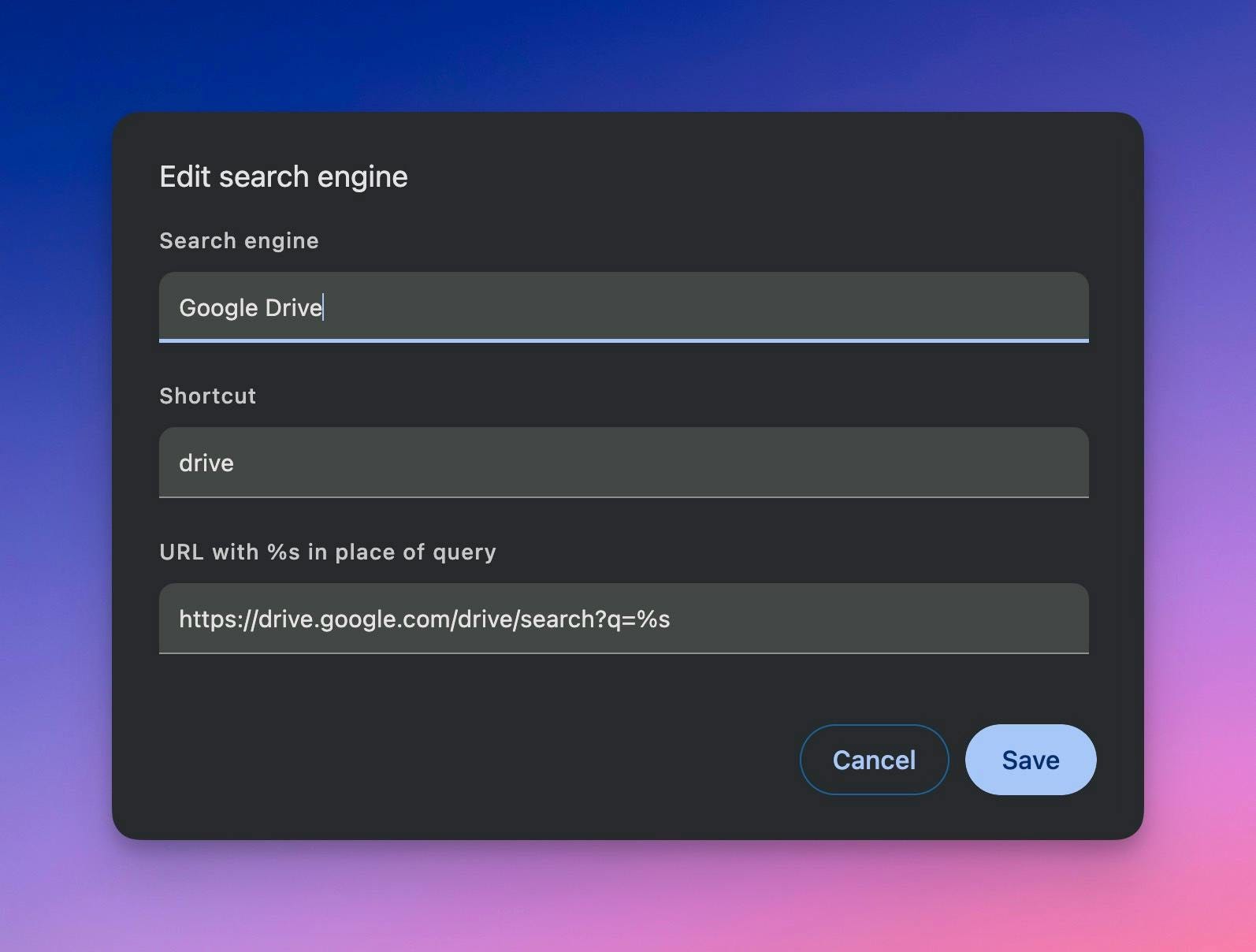
Now, whenever you’re in Chrome and you want to search for a file in Google Drive, simply input: CMD/CTRL + T (to open a new tab) > type “drive” > press Tab to start searching!
🥱 3. Being Bored on Purpose
There are a lot of great reasons to purposefully be bored. But this video hits the nail on the head by talking about how we live in a state of constant stimulation.
Even reading this email is considered slow media, and I’m still filling it with emojis and making it short just so you will finish reading it before you get under-stimulated.
Purposeful boredom will make hard things easier and boring things fun again.
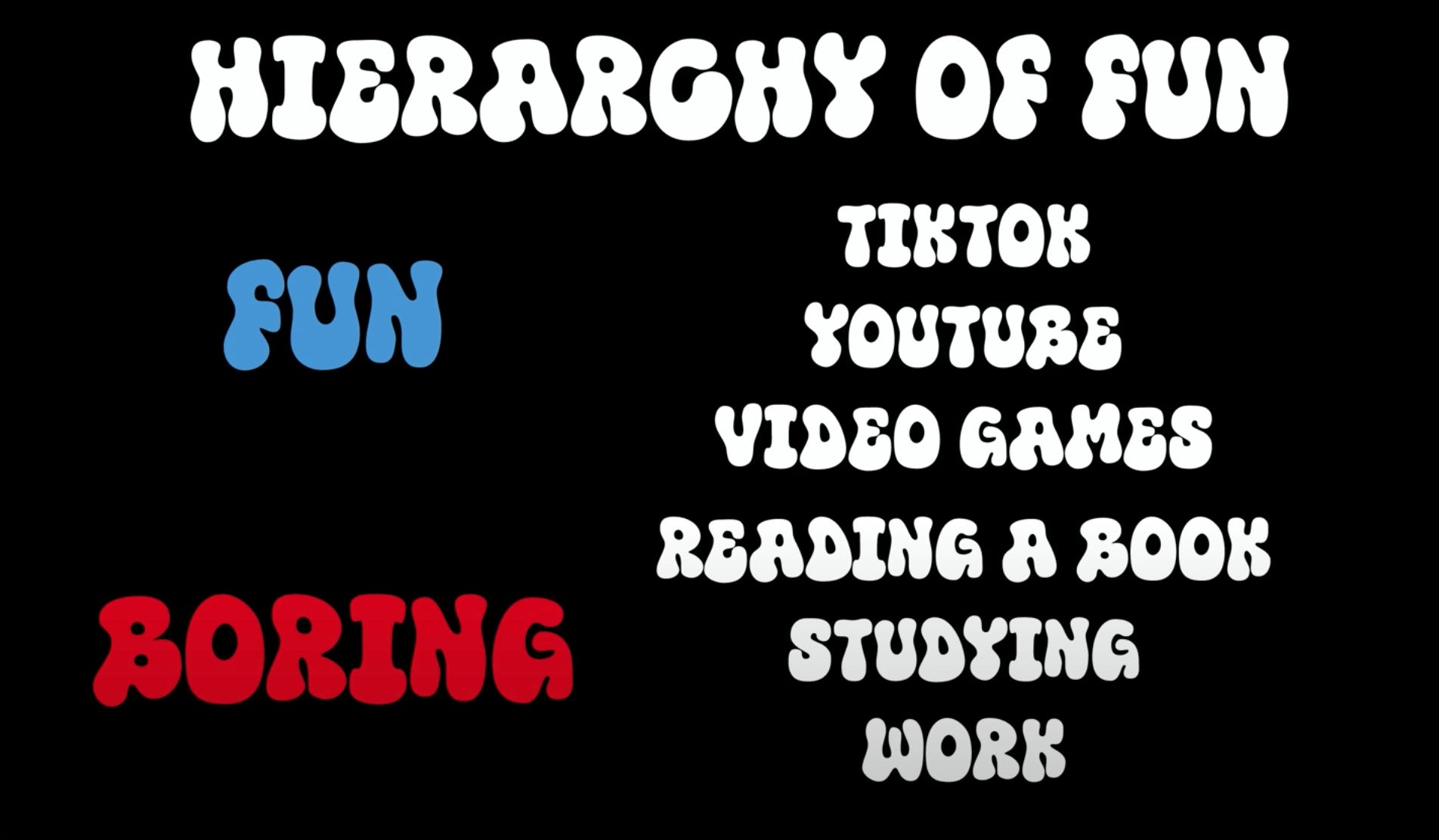
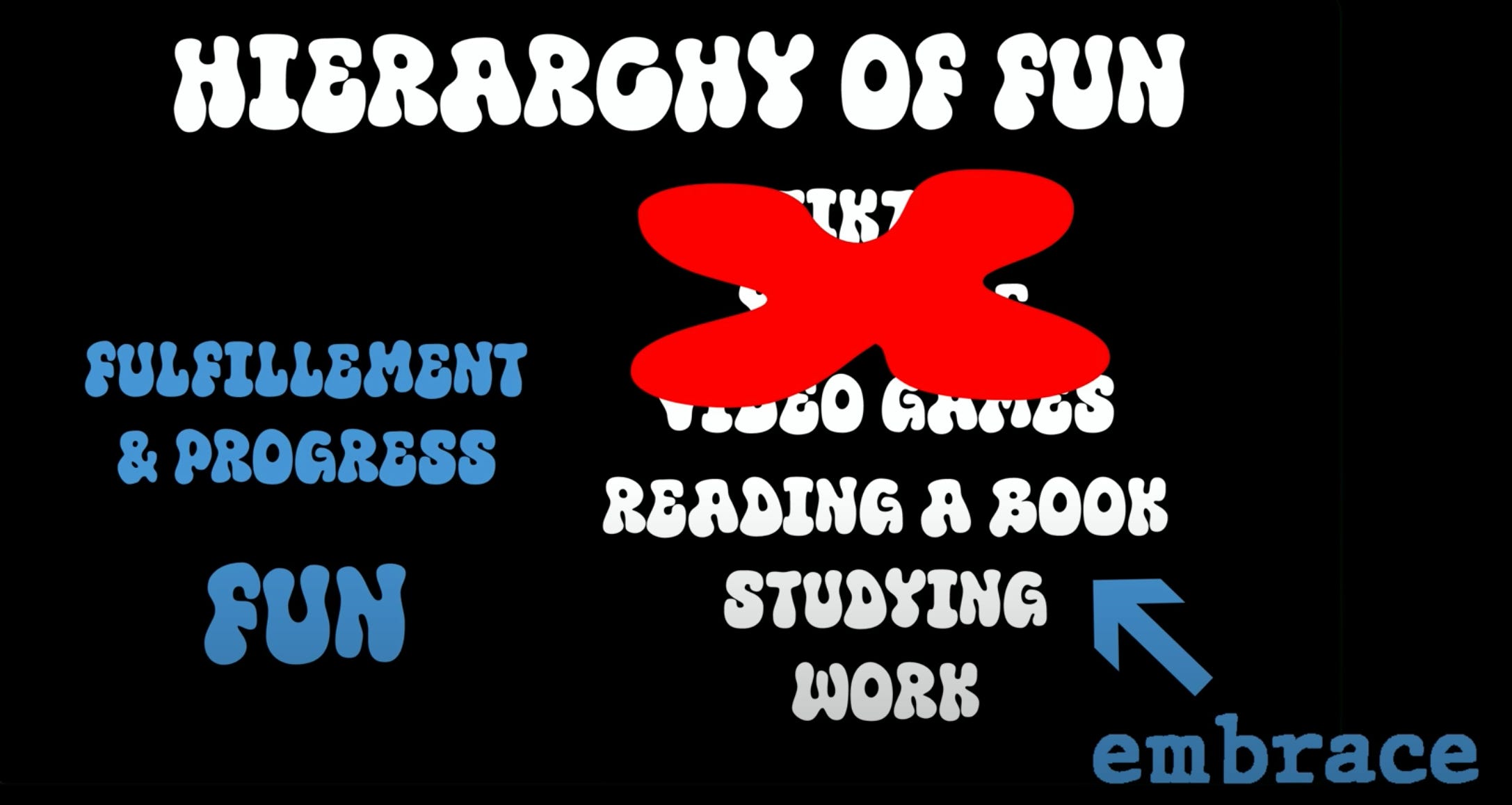
Please check out the video and let me know what you think!
👋 Want to work together?
Schedule a call with me and let’s get your digital life under control!
That’s all for now! Have a great day. 👊🏼
David
😁 Enjoying the newsletter? Have a friend who would appreciate it as well? Click the button below and help me grow the Taskflow Tuesday community!
👇🏼 Thank you for your time and trust. If the newsletter no longer adds value, feel free to unsubscribe below. No worries, it's not for everyone.
💬 Is there a specific topic you want to see in future issues? Hit reply and let me know.