



👋 Hello!
This is issue #28 of Taskflow Tuesday, where I share 3 things that can help you to get digitally organized so that you can spend more time on what truly matters.
✍️ Quick note!
I’ve been more active on the Substack app and I’m loving it.
The “Notes” section is basically Twitter but it’s full of writers and creators. It’s a nice corner of the internet to connect with people.
Join me on Notes if you want a social media for digital minimalists.
1. 📱 Grayscale Mode
This is by far one of my favorite iPhone hacks.
Grayscale Mode removes all the color to make your phone immediately less appealing and addicting.
To turn it on, follow these steps:
Settings
Accessibility
Display & Text Size
Color Filters -> On
Grayscale
If you want to be able to toggle it on and off easily, you can create a simple shortcut:
Settings
Accessibility
Accessibility Shortcut
Color Filters
If you triple-click the side button, you'll be able to toggle Grayscale on and off.
Since using Grayscale Mode, I've seen my screen time plummet.
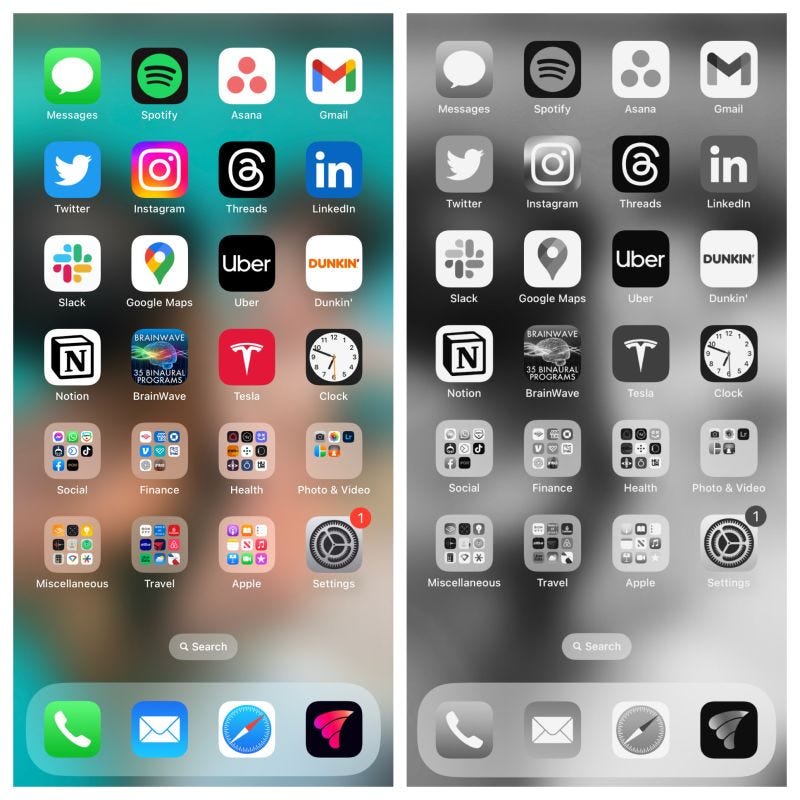
2. 📰 The Dopamine Cartel (The State Of Culture, 2024) by Ted Gioia
In this eye-opening article, Ted Gioia gives us another look at Silicon Valley, calling them the Dopamine Cartel.
“The fastest growing sector of the culture economy is distraction. Or call it scrolling or swiping or wasting time or whatever you want. But it’s not art or entertainment, just ceaseless activity.”
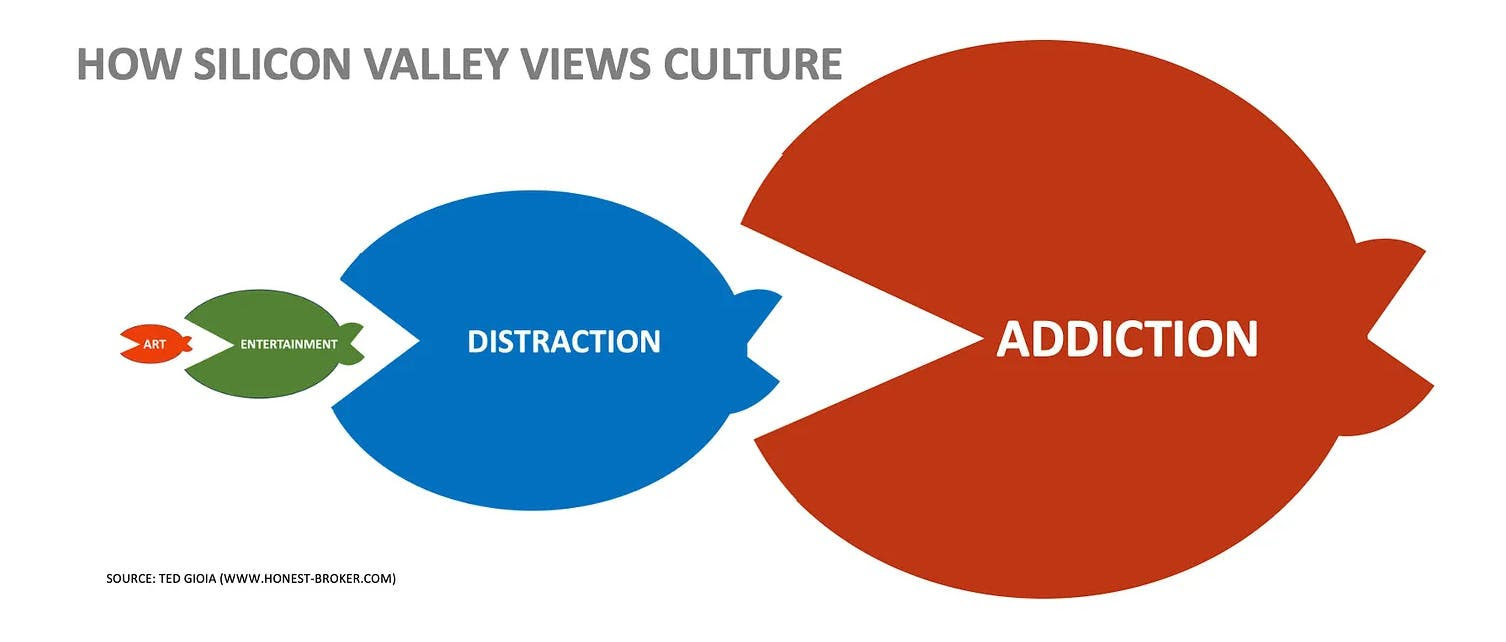
“Instead of movies, users get served up an endless sequence of 15-second videos. Instead of symphonies, listeners hear bite-sized melodies, usually accompanied by one of these tiny videos—just enough for a dopamine hit, and no more.”
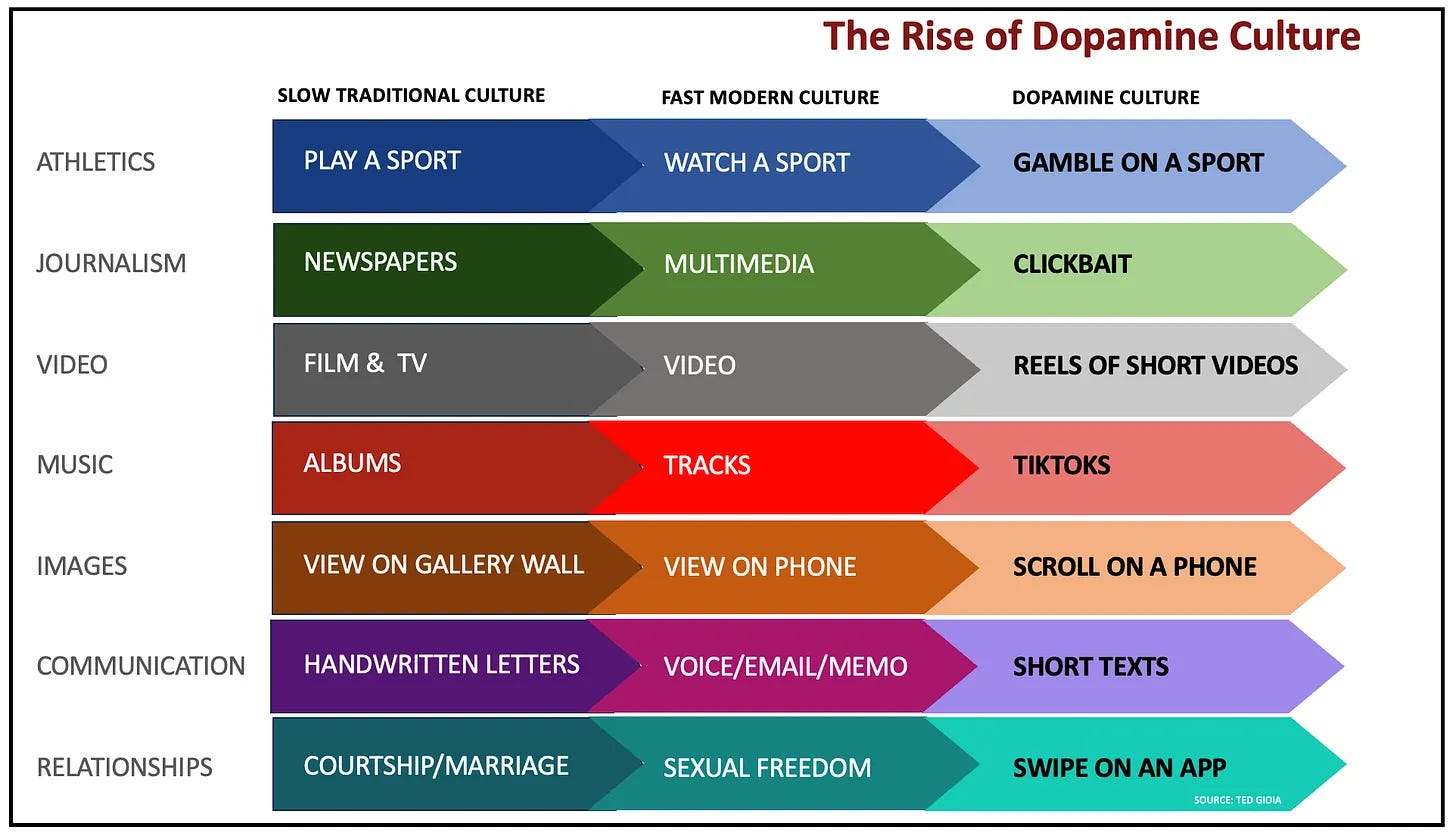
“Everything is gamified. Anything can be scrollable. You can simulate any boat you row.
But what does this do to our brains? To our lives? To the future?”
3. 🖥️ Google Drive for Desktop
Did you know you can access your Google Drive straight from your desktop?
Download Drive for desktop here.
I like using Drive this way because Finder is where I do most of my file management anyway. It’s faster to create folders and move files on desktop than on the web version.
If you have a few image files, you can still select all of them > right click > Quick actions > create PDF, and now that new PDF is uploaded onto Google Drive. You simply can’t do that with the web version.
👋 Want to work together?
Schedule a call with me and let’s get your digital life under control!
That’s all for now! Have a great day. 👊🏼
David
😁 Enjoying the newsletter? Have a friend who would appreciate it as well? Click the button below and help me grow the Taskflow Tuesday community!
👇🏼 Thank you for your time and trust. If the newsletter no longer adds value, feel free to unsubscribe below. No worries, it's not for everyone.
💬 Is there a specific topic you want to see in future issues? Hit reply and let me know.
Love it!!