


👋 Hello!
If you are reading this, then I am incredibly grateful. Welcome to my corner of the internet where I help people get digitally organized and systemized so that they can spend more time on what truly matters.
✅ Tip: Stretch Throughout The Day
“Nearly half of employed people aged 18-64 years described their day at work as mostly sitting.”
With so many of us sitting all day comes with some serious problems. If you haven’t heard it said that “sitting is the new smoking” then just google that phrase and you will find a plethora of studies showing the physical toll that our bodies are taking from so much inactivity.
A couple of ways to combat this is to stand up and walk around every hour, use a standing desk, and stretch throughout the day.
Here is a helpful article with a lot of great examples of stretches you can perform at the office.
These are two of my favorite stretches from the article:
Upper body and arm stretch:
Clasp hands together above the head with palms facing outward.
Push your arms up, stretching upward.
Hold the pose for 10 to 30 seconds.
Neck stretches
Clasp hands behind your back.
Push the chest outward, and raise the chin.
Hold the pose for 10 to 30 seconds.
Relax and lean your head forward.
Slowly roll toward one side and hold for 10 seconds.
Repeat on other side.
Relax again and lift your chin back to starting position.
Do this three times for each direction.
It's important to stretch throughout the day to ensure that your muscles stay loose and relaxed, which helps to prevent pain and soreness.
This is a quick and easy way you can prioritize your health throughout the workday.
📱 Tool: Actions by Moleskine
For the last 2 weeks I have been using a task management app from Moleskine called Actions.
I have used so many to-do apps but this one marries form and function better than most in a way that works well for me. It is robust while remaining minimal and simple. It has well designed task views that are useful and not distracting. It is best used on mobile which I like because I can quickly and easily add new tasks throughout the day.
I also love any app that has good widgets (shows specific data within an app without having to open the app) for my phone and this one has three views that I use everyday:
Quick capture
Today’s actions
Top priority
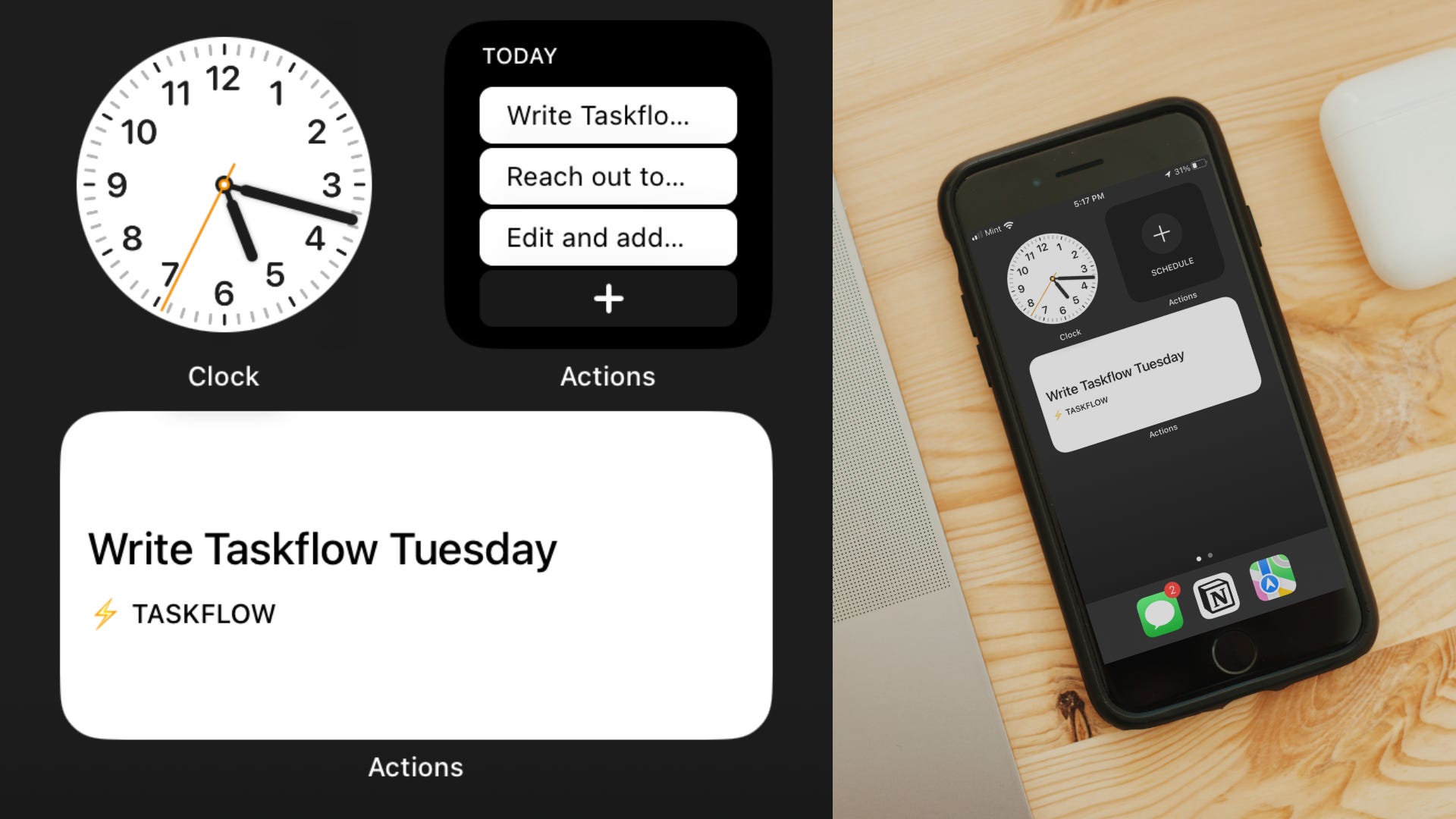
Try it out for a week and let me know what you think! There are endless options to choose from when it comes to task management apps, so try a few out, figure out what works for you, and stick to that!
🔵 Tweet: Paradox Principles from Chris Do
