



👋 Hello!
This is issue #26 of Taskflow Tuesday, where I share 3 things that can help you to get digitally organized so that you can spend more time on what truly matters.
📧 1. Email Templates
Templatizing is a core element of “taskflowing” your life.
If you go through a repeated process over and over again, then you should turn it into a template and stop wasting your time.
Set it up once and let it run in the background forever.
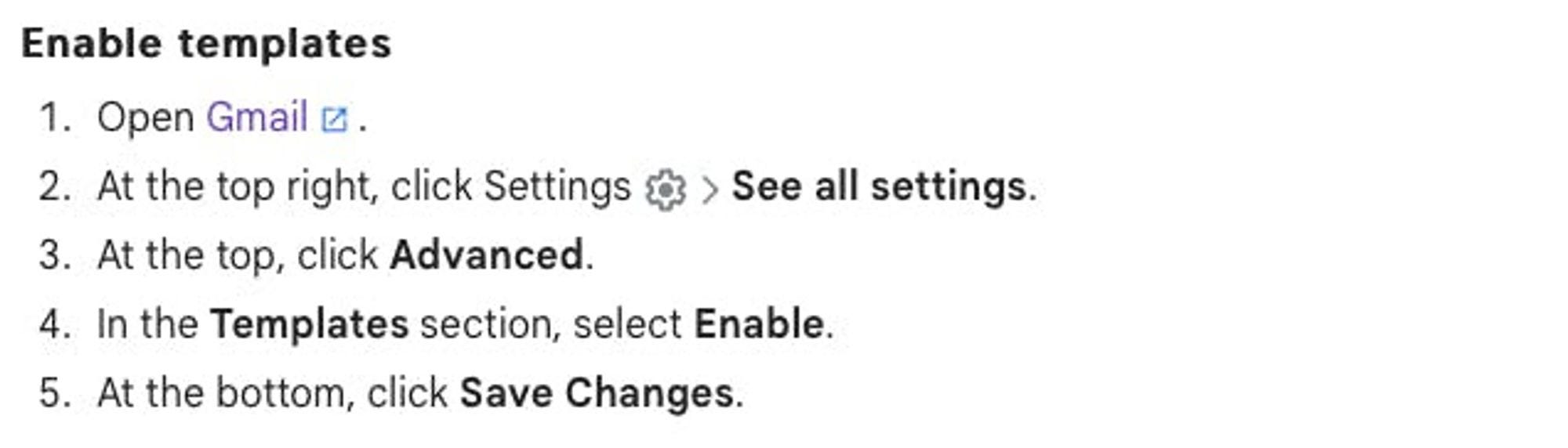
Gmail offers email templates in a hidden menu in the compose window.
Write up your most common emails or replies, and save the email as a template.
📓 2. The Triple Threat Notebook Setup
If your Youtube algorithms is anything like mine, then you have been force fed hundreds of videos about how pocket notebooks are organizing people’s lives, replacing their phones, and ending world hunger.
However, this particular notebook video stood out to me because it is a system that could actually help a lot of people.
Eric uses 3 separate pocket notebooks.
One for planning.
One for productivity.
One for organization.
I recommend watching the whole video and integrating the parts that will work for your personal productivity system.
✅ 3. Productivity System from Rich Webster
I’m taking this straight from Rich. I get a lot of my best stuff from him.
Install a distraction blocker
download Freedom
set it up
run it when you need to focus
Disable phone notifications
turn off the red dot badges too
Declare inbox bankruptcy
if you have over 1000 unread emails, select all and archive them
you can still search for them and now you can maintain inbox zero
Unsubscribe from email newsletters
go to unroll.me
see all of your newsletters in one place
unsubscribe from them in a single click
Set up a newsletter inbox
create a separate email inbox for all of your newsletters
use Gmail’s filter feature to archive them, mark as read, and placed in the separate inbox
Time tracking
If you “never have time”, track it and find out what you’re doing with it
Rich uses Toggl
I use the time blocking method on Google Calendar
Replace meetings with Loom
if texting is like email
and calling is like meetings
then voice memos are like Loom videos
and voice memos are the best
That’s all for now! Have a great day. 👊🏼
David
😁 Enjoying the newsletter? Have a friend who would appreciate it as well? Click the button below and help me grow the Taskflow Tuesday community!
👇🏼 Thank you for your time and trust. If the newsletter no longer adds value, feel free to unsubscribe below. No worries, it's not for everyone.
💬 Is there a specific topic you want to see in future issues? Hit reply and let me know.
Love it dude! Good stuff. The Rich Webster section especially