


👋 Hello!
If you are reading this, then I am incredibly grateful. Welcome to my corner of the internet where I help people get digitally organized and systemized so that they can spend more time on what truly matters.
✍️ Currently
Here is a sneak peak at the first 8 sessions of my course that I have been working on.
I’m think I’m going to call it Taskflow Academy but I would love to hear if you have any other ideas.
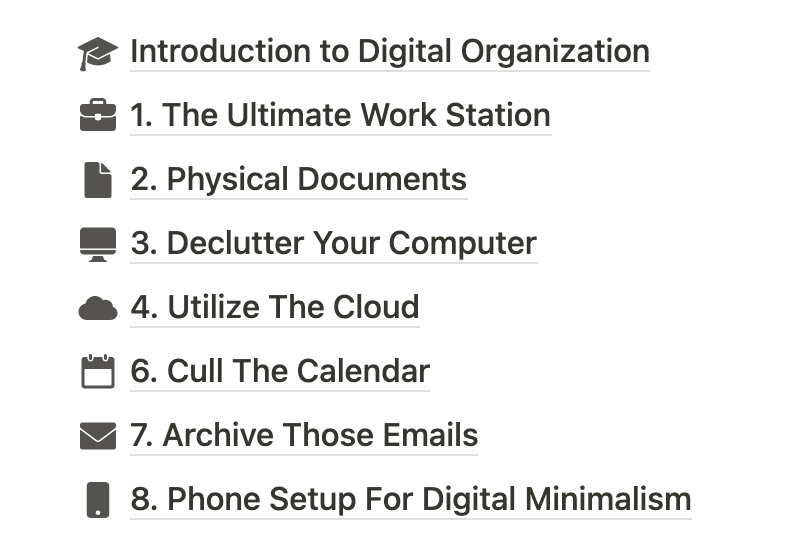
Respond to this email if you would like to be added to the waitlist for the Founders Price (a huge discount) once it’s ready. You’re not committing to anything by responding but I would love a list of people who are seriously interested.
Please share this with someone you think would be interested. Thanks!
✅ Tip: Keyboard Shortcuts for Google Calendar
D: Day view
W: Week view
M: Month view
A: Schedule view
Y: Year view
Google Calendar shows us a lot of information. The key to viewing all of that info in our calendar, is having the ability to quickly toggle between different calendar views. This helps us to easily see the details as well as the full picture of our calendar.
You can also customize the “X” shortcut to show you a set amount of days of your choosing.
It may take some time to get used to using these shortcuts but they are incredibly useful and lightning fast. ⚡️
📱 Tool: Goodreads
Goodreads is an old website and app from Amazon, but I finally started using it consistently a couple of years ago, and it has been a game changer.
Goodreads is a social media platform all about books. It allows you to track books you've read, books you're currently reading, and books you want to read in the future. You can also rate and review books, follow your friends, join book clubs, and participate in reading challenges. It's a great tool for organizing your reading list and discovering new books based on your interests and the recommendations of others in the Goodreads community.
🔵 Tweet: Stop Hiccups Without Water
