


👋 Hello!
If you are reading this, then I am incredibly grateful. Welcome to my corner of the internet where I help people get digitally organized and systemized so that they can spend more time on what truly matters.
✅ Tip: Set Message As Unread
I have been waiting for this update from Apple for a long time. You can finally set messages as unread in iMessage!
So many times, I have received a text while I am unable to respond in the moment, then I would forget about it and never respond. Every time that happened I wished that I could mark a message as unread which would let me be able to see that I haven’t responded.
This update was released last fall but then I heard Jason Bateman talking on a podcast how he wished this existed. It pained me because it does, he just doesn’t know about it. If you’re in the same boat as Jason, then I’m glad you’re reading this. Now you know!
I use it all the time and it saves me from ignoring my friends and family…
…for the most part.
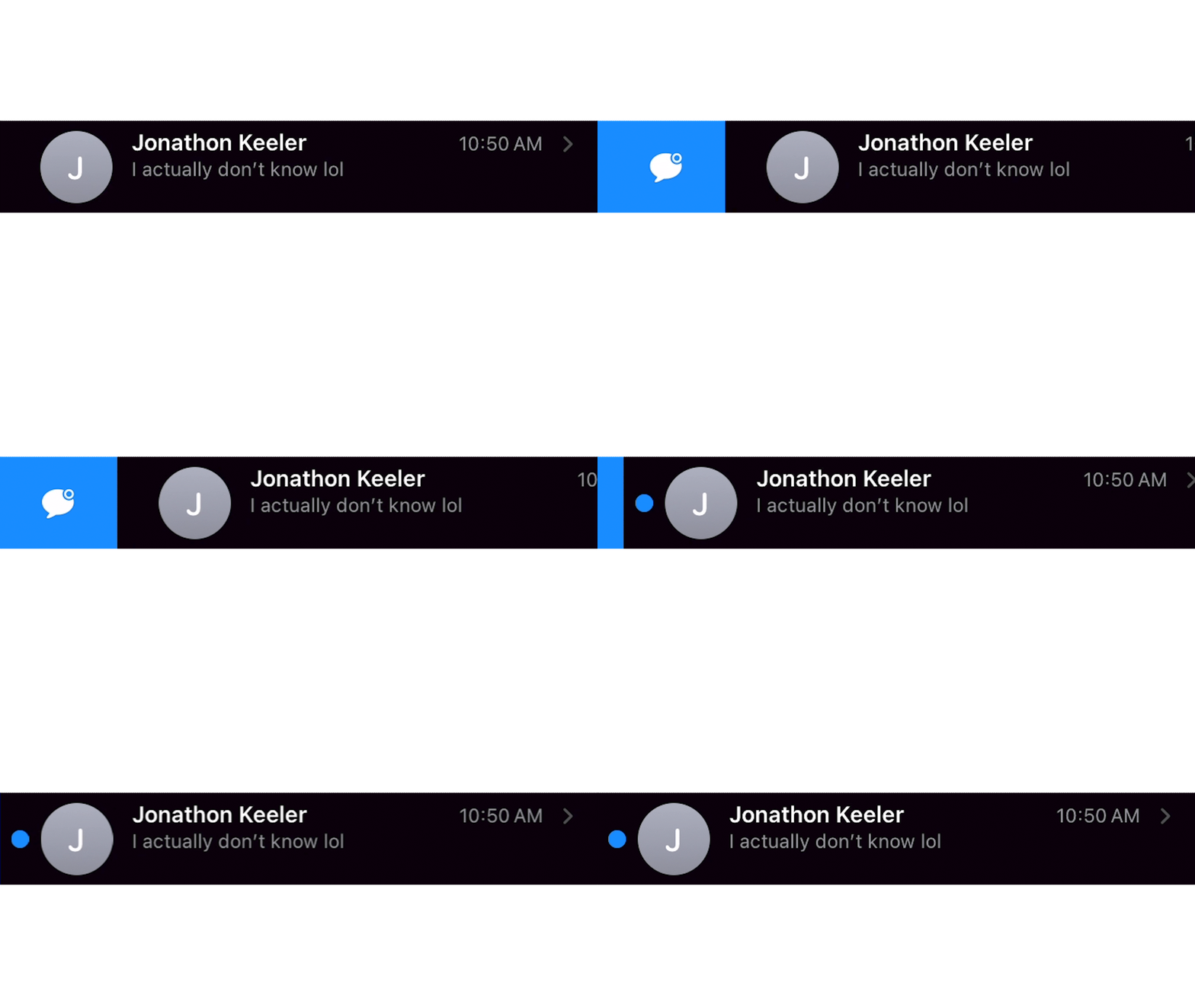
All you have to do is swipe the message to the right, select the blue icon, and you’re good to go! There is also a list of all of your unread messages on the filters page that you can find in the top left corner of your messages app.
📱 Tool: Google Tasks
Google Tasks is one of my favorite ways of capturing tasks throughout my day. My calendar is almost always open and on the sidebar, there is an option to quickly brain dump all of your tasks - and then sort them later.

My favorite aspect about Tasks is that it’s integrated seamlessly with my calendar. To sort through, I just click and drag the task to the desired date and time that I plan to take action on it or have it done by.
🔵 Tweet: A Twofer On Reading
