



👋 Hello!
This is issue #34 of Taskflow Tuesday, where I share 3 things that can help you to get digitally organized so that you can spend more time on what truly matters.
🕑 1. Manager vs Maker Schedule
Alex Hormozi just put out an excellent video describing two different schedule types, how they conflict with each other, and how individuals and organizations can make them work together.
Manager's Schedule: A time management approach that divides the day into hourly intervals, allowing for frequent task switching between meetings and appointments. It suits roles involving supervision and decision-making.
Maker's Schedule: A time management approach preferred by those in creative or deep work, marked by longer, uninterrupted blocks of time. It supports focused concentration and productivity in tasks requiring deep thinking and creativity.
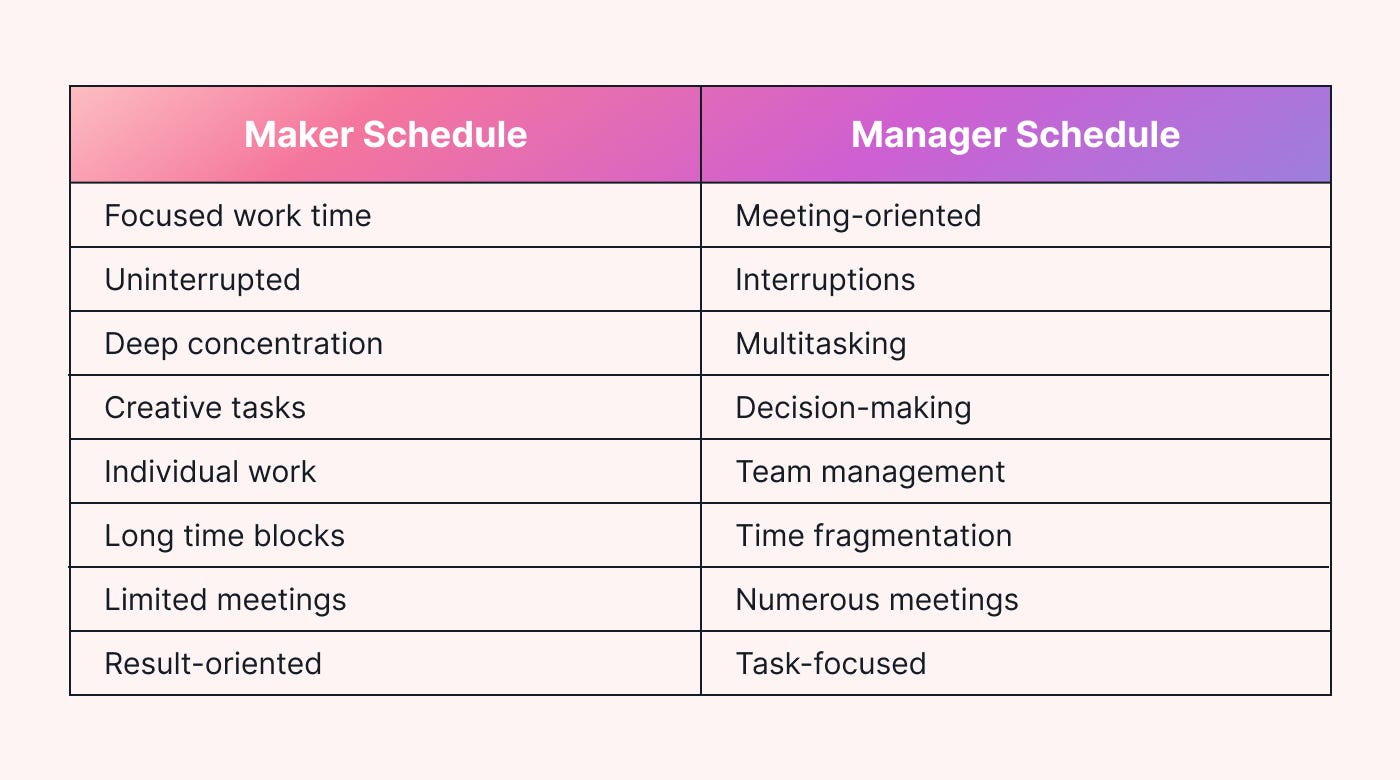
To integrate these different schedules consider these solutions:
Set Meeting Times: Schedule specific times for meetings so workers can plan their focused work around them.
Value Focus Time: Promote respect for uninterrupted work time and schedule meetings only when necessary.
Improve Communication: Encourage managers and workers to discuss their schedules and preferences to create empathetic scheduling.
Use Tech Tools: Use shared calendars, scheduling apps, and collaboration platforms to organize meetings and avoid conflicts.
By acknowledging and accommodating the differences between manager's and maker's schedules, organizations can create a more productive and harmonious work environment for all employees.
🖥️ 2. Browser Tab Management System
📌 Pin Important Tabs
Right-click on the tab and select “Pin.” This will move it to the left side of your tab bar and reduce its size.
Pin your email, task manager, or any frequently used tool for quick access without clutter.
🗂️ Use Tab Groups
Right-click on a tab and select “Add tab to new group.” Name the group and choose a color.
You can also have Google auto-organize tabs with AI by clicking the three dots in the upper right corner and selecting “Organize Tabs.”
Group tabs by projects like “Work,” “Research,” and “Personal” to keep everything organized and easy to navigate.
💼 Use Chrome Profiles for Different Spaces
Create separate Chrome profiles for different aspects of your life (work, personal, hobbies).
Set up a “Work” profile with all your professional tools and a “Personal” profile with social media and personal interests.
🔖 Bookmarks and Lists
Utilize bookmarks and the “Reading List” feature to save important pages and articles.
Bookmark essential websites and create a reading list for articles you want to revisit later, reducing the need to keep tabs open.
🧩 Extensions for Tab Management
Use extensions like Tab Snooze to close tabs and reopen them at a later time.
Maintain a clean workspace and revisit tabs when you actually need them.
🧙🏻♂️ Optional Recommendation: Arc Browser
Try using the Arc browser for advanced tab management features.
Arc provides a sidebar for quick access to your favorite tabs and tools, helping you stay organized and efficient.
🚶♂️ 3. Go On A Walk
If you’re bored, go on a walk.
If you’re stressed, go on a walk.
If you’re uninspired, go on a walk.
If you’re overweight, go on a walk.If you need to solve a problem…
If you could use a bit of sunlight…
If you need a break from the world…Most, if not all of your pains can be relieved, if not resolved, by going on a walk.
— Dan Koe
👋 Want to work together?
My coaching program is aimed at helping people get digitally organized and set up with sustainable systems.
🎯 Here's a bit of what my coaching covers:
Streamlining workflow and task management
Digital organization
Time management strategies
Click the button below if this sounds like something you'd be interested in!
That’s all for now! Have a great day. 👊🏼
David
😁 Enjoying the newsletter? Have a friend who would appreciate it as well? Click the button below and help me grow the Taskflow Tuesday community!
👇🏼 Thank you for your time and trust. If the newsletter no longer adds value, feel free to unsubscribe below. No worries, it's not for everyone.
💬 Is there a specific topic you want to see in future issues? Hit reply and let me know.