


👋 Hello!
This is issue #11 of Taskflow Tuesday, where I share 3 things that can help you to get digitally organized so that you can spend more time on what truly matters.
✅ Tip: Snooze Your Email

Snoozing an email can help you stay focused and organized when managing your inbox. When you snooze an email, you can temporarily remove it from your inbox and set a reminder to have it reappear at a more convenient time or when you're ready to handle it.
Here’s how to do it:
Hover over the email.
On the right, click Snooze 🕓
Choose a later day and time to get the email.
To snooze multiple messages, select the messages. At the top, click Snooze.
This can be especially useful for emails that don't require immediate action, but that you don't want to forget about either. By snoozing these emails, you can keep your inbox clutter-free and avoid the distraction of having them constantly in view.
By resurfacing emails at specific times or dates, you can ensure that you're dealing with the most important messages first, while also avoiding the stress of having to respond to everything at once.
If you're looking for a way to stay organized and focused when dealing with your inbox, give it a try and see how it can help you stay on top of your game.
📱 Tool: My Daily Schedule Planner
This week’s tool is a digital daily planner created by yours truly! Click the button below to get the planner for free!
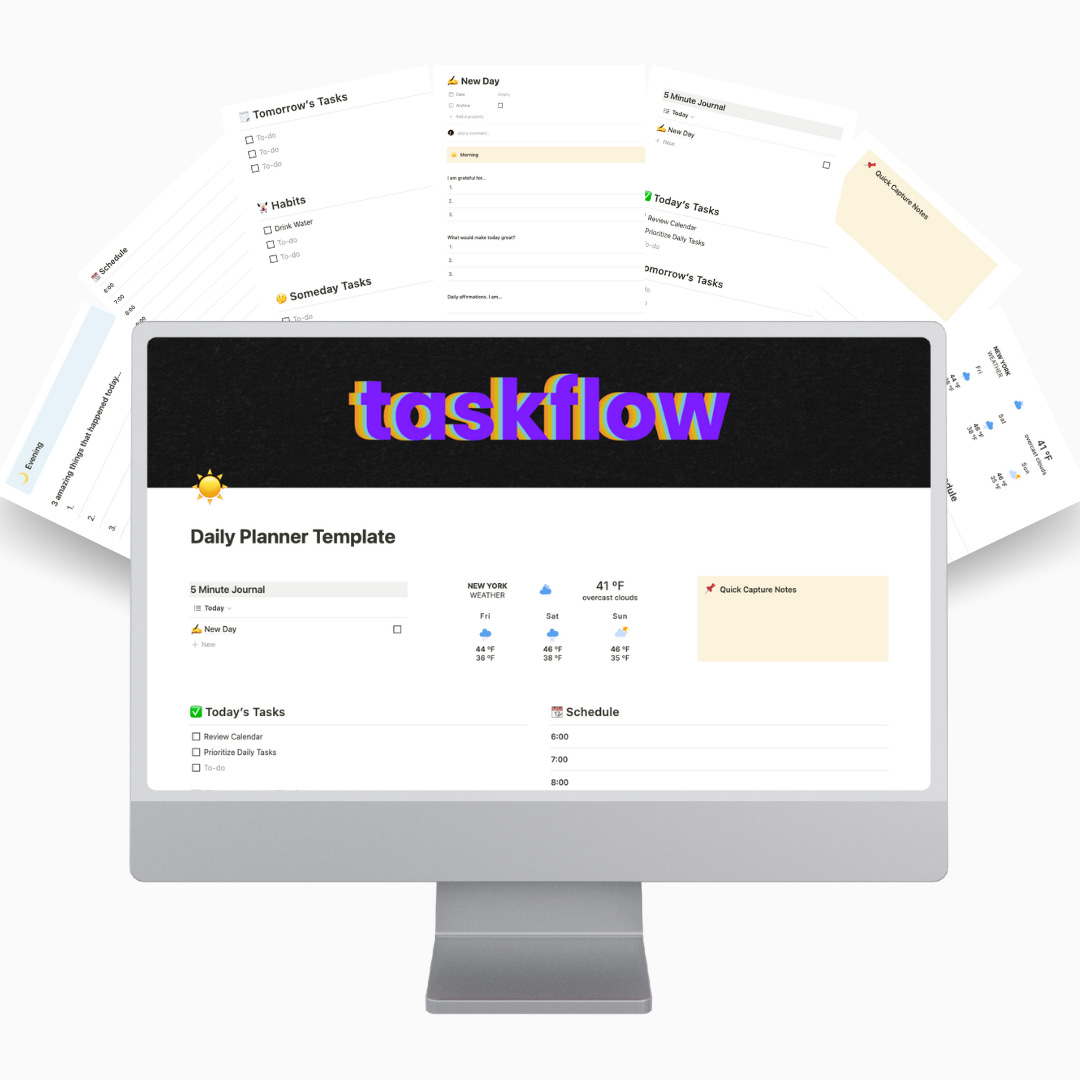
This is the daily planner for someone who wants a simple setup. So many planners are too complicated and take too much time to use. With my Daily Schedule Planner you can keep track of your tasks and appointments for the day on one simple page.
I’ve also added a section for short guided journaling at the beginning and end of your day using the 5 Minute Journal format. With a live weather widget, habit checklist, and a sticky note for writing down quick notes, the Daily Schedule Planner has everything you need - and nothing you don’t.
Click the button to try it for free (put $0 in the suggested price section (or not 😉)) and see if it’s a good fit for your workflow.
Please don’t hesitate to email me (or text me since most of you have my number) if you have any questions about the template.
🔵 Tweet: 52 Books from Library Mindset


Hi David, Very informative and helpful. Thank you, good luck with the upgrade business. Love, Grampy